
Why Bookmarks Fail Developers Developers collect useful information all the time. A helpful article on a framework behavior. A documentation page that finally clears up a confusing feature. A support thread that explains a difficult error message. A blog post that outlines a better… Continue Reading
NCover 5.5 Update Release
May 11, 2016
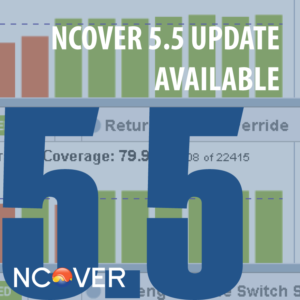
We have released an important maintenance release of NCover 5.5. We encourage all NCover users to upgrade as this release touches our entire product line. Remember, if you have an active support agreement there is no charge for this upgrade. If your auto-update alert… Continue Reading
.NET Speakers to Hear
April 25, 2016

Listening to experts in our field is one of many ways we can learn and help improve the applications we build as members of the .NET community. We think you should make it a point to hear these two .NET speakers if you get… Continue Reading
Cloud-Based .NET Leaders to Know
April 11, 2016

We wanted to take some time to salute some members of our .NET community that spend their time working on and solving cloud-based problems for their industry. Thank you both for all of the great applications helping improve the overall landscape. Richard Seroter Richard… Continue Reading
.NET Developer Tips and Tricks
March 28, 2016
We all have our own tips and tricks to what makes good, clean code that leads to powerful applications. We wanted to take a moment and share a couple of insights from some .NET developers on how they make powerful products. What are your… Continue Reading
The Vampire King: In Memoriam
March 15, 2016

Russell Hinson left this world behind in the early morning hours of March 12, 2016. He will always have a place in our hearts. I first met Russell in the early 2000’s, when we hired him as a trainer at TetraData. Over the next… Continue Reading
.NET Collaborators
March 14, 2016
In the development world, we know that each line of code has been built upon what our community has learned the line before it. We wanted to take a moment to say thank you to two amazing collaborators and influencers to coding around the… Continue Reading
.NET Developers to Know
February 29, 2016
.NET is celebrating its birthday this month. As part of this special celebration, we wanted to showcase two .NET developers we think we all should get to know. See what they have been working on and all they have accomplished: Ahmed Bahaa Farid “Working… Continue Reading