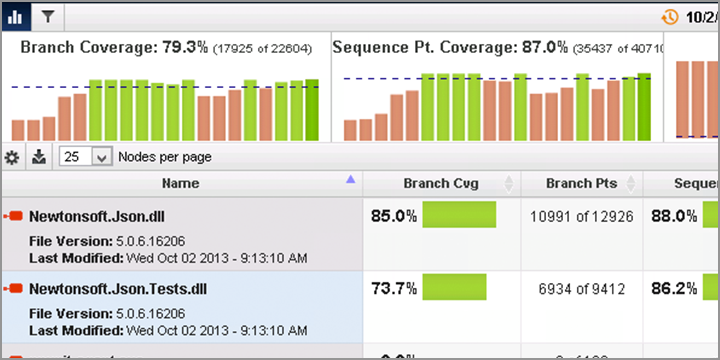

NCover Desktop is an essential tool in helping developers find where they can improve their tests, and their code, as early in the development cycle as possible. Effective tests are critical for delivering high quality code, reducing risks and maintenance costs, and increasing customer satisfaction. NCover is the first step in ensuring your code is thoroughly tested. Catch code problems at the individual level before they become team, project, or customer problems.
Smooth Workflow, Fast Insights, Measurable Quality
Reduce errors and improve quality at the source
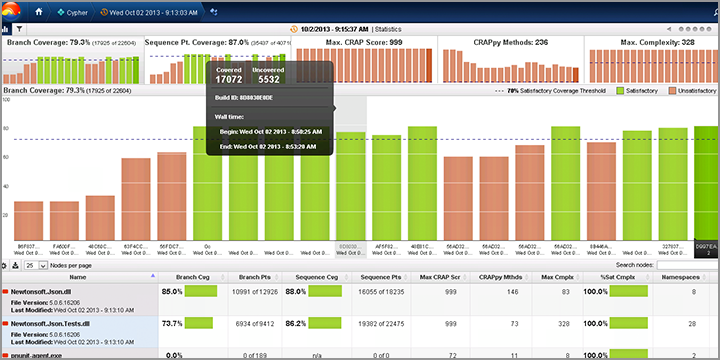
World Class Coverage, Visual Studio Integration
Integrated Visual Studio code coverage
NCover Desktop also includes an integrated Visual Studio Extension that provides seamless code coverage within your existing workflow. The Visual Studio extension provides NCover Desktop users with all of the tools developers need to write well-tested, bug-free code inside the Visual Studio IDE. The Visual Studio extension provides branch coverage visualization, source code highlighting, and coverage statistics in a developer-centric code coverage view. The Visual Studio Extension is pre-configured to collect coverage on testing running the MSTest and NUnit test framework. Test results captured by the Visual Studio Extension can be linked to a project in NCover Desktop. Linking tests results to NCover Desktop provides access to complete trend analysis tools and HTML reporting capabilities.

An Eye-Opening View
View coverage trends or dive deep into individual lines of code
Branch coverage visualization allows you to see how your code progresses in real time and to take action to simplify and optimize your code. Code highlighting identifies individual lines of code that have not been tested so you can focus your efforts. In additon, you Desktop allows you to augment standard source code analytics with advanced metrics like Cyclomatic Complexity and Change Risk Anti-Patterns to achieve a real, measurable understanding of your code's overall health. These are just a few of the ways Desktop will forever change how your view your .NET code.